Offline Conversion Tracking from CRM to Google Ads
Connect CRM data to Google Ads so the algorithm optimizes on actual deals, not just form fills.
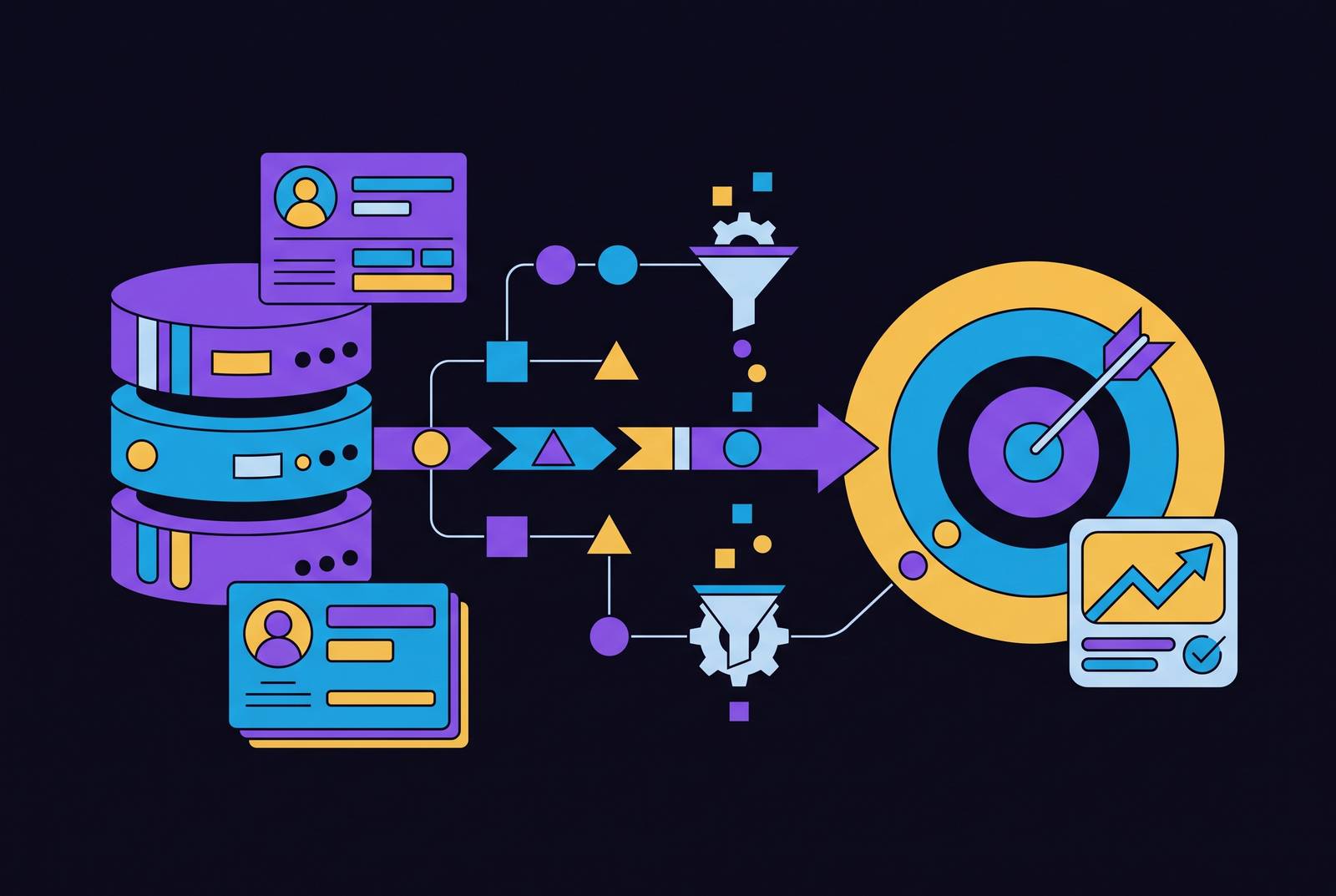
Google Ads only sees what happens in a browser: the click, the page view, the form fill. The moment that lead lands in a CRM, Google goes blind. The phone call a rep makes, the demo that gets booked, the contract that gets signed months later - none of it feeds back into the system that decided which keywords, audiences, and bids produced that click in the first place. Offline conversion tracking is the fix: a data pipeline that takes what happens after the browser closes and sends it back to Google Ads, so Smart Bidding can optimize against actual revenue instead of guessing based on form fills.
That gap matters more than it sounds. The median B2B sales cycle runs around 84 days. Google's default conversion window is 30. Any deal that closes after day 30 is invisible to the platform, permanently. One practitioner who connected CRM data for a client found that only 12% of leads ever reached a sales conversation, and just 3% became paying customers. The reported cost per lead looked fine at around $45. The real cost per acquisition, once the funnel dropout was accounted for, was over $1,500. Same spend, wildly different story, depending on whether the CRM ever talks to the ad account.
What offline conversion tracking actually is and what it isn't
Offline conversions are events that never touch a browser pixel. A closed-won deal in a CRM. A sale made over the phone. A signed contract. An in-person purchase. If a checkout happens slowly but still finishes on a website, that's a delayed online conversion, not an offline one, and the distinction actually matters because it changes how you'd track it.
Offline conversion tracking takes a sale that closed in the real world and pushes it back into Google Ads, so the bidding algorithm trains on actual revenue instead of a fragment of it. It's not a workaround. It's not a fancier report or a dashboard someone checks once a month. It's a pipeline that changes what the algorithm learns from.
And it doesn't have to be all-or-nothing. Every stage of a funnel can be its own event: MQL, SQL, demo booked, closed-won, each uploaded separately with its own value attached. That gives Smart Bidding more to work with at every step, not just at the finish line.
The four-step data chain from ad click to CRM and back
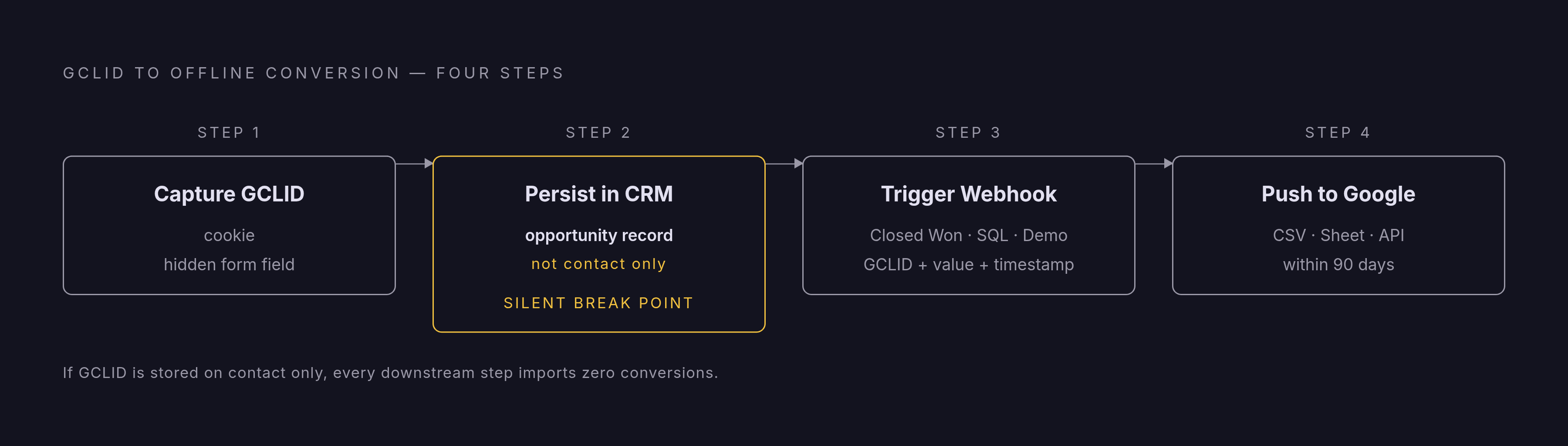
Step 1: Capture the GCLID at landing. Every time someone clicks a Google ad, Google tacks a GCLID (Google Click Identifier) onto the landing page URL. Think of it as a fingerprint for that one click. A script on the page reads that string and writes it into a first-party cookie and into a hidden field on every lead form. This has to happen everywhere a lead can enter: standard web forms, phone capture, chat widgets, pop-ups, event sign-up sheets. Miss one, and that's a hole in the data with no warning label.
Step 2: Persist the GCLID in the CRM. The hidden field carries the GCLID into the CRM when the lead is captured. Here's where a lot of setups quietly break: the GCLID needs to live on the opportunity record, not just the contact. The deal-closed trigger fires on the opportunity. If the GCLID only sits on the contact, that trigger fires a webhook with nothing useful to send. It's the single most common way this whole chain fails without anyone noticing. Also worth flagging: Google only accepts offline conversions within 90 days of the last click, so the CRM needs to hold onto that GCLID well past the point most systems bother to keep it.
Step 3: Trigger on the offline event. Something meaningful happens: the deal moves to Closed Won, an SQL gets created, a demo gets booked. That change fires a webhook carrying the GCLID, the time of the event, the event name, and the value.
Step 4: Push it to Google. The receiving system hashes any personal data, packages everything up, and sends it to Google's offline conversions endpoint over HTTPS. This can go through a CSV upload, a Google Sheet, or the API, but all of them need, at minimum, the GCLID, the conversion date, and the conversion name. The value is optional but useful. And the clock matters here too: 90 days from the last click for standard offline conversions, only 63 days if using enhanced conversions for leads.
The June 15, 2026 API migration and what it requires
Starting June 15, 2026, offline conversion imports and enhanced conversions for leads uploads move to the Data Manager API. The old Google Ads API path gets blocked, according to Google Ads support documentation. Developer tokens that haven't made a request between January and June 2026 won't get allowlisted for the legacy system at all.
If a team runs a custom integration, uses a third-party platform, or connects through a CRM plugin built on the old API, someone needs to check that vendor's migration status now, not in May 2026. And the risk here isn't a warning banner. There's no alert. The import just stops working, and Smart Bidding quietly reverts to optimizing on whatever it can still see, which usually means form fills again.
Things worth doing now:
- Check whether the current setup runs on the legacy Google Ads API or is already on Data Manager API.
- If a vendor handles the upload, ask directly for their migration timeline and get it in writing.
- If it's a custom build, start development against the Data Manager API now. Request activity between January and June 2026 factors into allowlisting.
GCLID-based import versus enhanced conversions for leads, choosing the right path
GCLID-based Offline Conversion Import (OCI) is the original method, and it's the most precise. It matches offline events to the ad click using the GCLID stored in the CRM. Done right, across every lead-intake surface, match rates run 80 to 90 percent. This is the strongest option once the technical groundwork (capturing and storing GCLIDs everywhere) is actually in place. It works best for downstream events like MQL, SQL, and Closed-Won, where signal quality matters most.
Enhanced Conversions for Leads matches using hashed user data, usually an email address, instead of relying on the GCLID alone. For B2B accounts, match rates typically land at 40 to 60 percent, mostly because someone's work email rarely matches the personal Google account tied to their ad click. What it buys in return: broader signal coverage for clicks where a GCLID was never captured. Google recommends picking either "Qualified lead" or "Converted lead" as the conversion goal when setting this up. It's a good starting point when the GCLID infrastructure isn't built yet, but it's not a full substitute for OCI once signal precision becomes the priority.
These two aren't rivals. Run them together: Enhanced Conversions as a safety net for in-page events, OCI for the CRM-driven events further down the funnel. When switching from one method to another, give it three conversion cycles or four weeks before turning off the old pipeline, so there's no gap in the data.
However it's set up, there's one gut check that matters more than anything else: offline conversions reported in Google Ads should match CRM closed-won numbers within 10%. Outside that range, the attribution isn't confirmed. It's just a guess with a nice interface.
What changes in Smart Bidding once real revenue signals arrive
Without offline data, Smart Bidding optimizes for the thing it can measure, which is form fills. Lead volume climbs. Pipeline doesn't move. That's the trap: 73% of B2B leads aren't sales-ready the moment they're generated, according to DemandSage, so training an algorithm on raw form fills just teaches it to find more people who aren't ready to buy, faster.
Once offline data flows back in, the algorithm can see which clicks actually turned into revenue, spot patterns among the people and search terms behind those wins, and shift bidding toward more of that. That's the difference between optimizing for submitters and optimizing for buyers.
Value-based bidding becomes possible at that point too. Assign a dollar value to each stage, an MQL, an SQL, a Closed-Won deal, so a small contract and a large contract don't look identical to the algorithm. For teams that don't have clean closed-won data yet, a proxy formula helps: Proxy Value = Close Rate × Annual Contract Value × Margin × Stage Probability. Revenue Operations teams usually have the raw pipeline numbers to build that out.
Research from growleads.io found that feeding Google's system enhanced conversions and value-based bidding improved conversion tracking accuracy by 11% and lifted conversion value by 14%. Separately, Reach Marketing (2025) reported a 35% increase in conversion rates among companies using AI-driven lead scoring enabled by accurate conversion data.
One practical limit: Smart Bidding needs somewhere around 30 to 50 conversions a month per campaign to work well. If CRM-stage events alone don't hit that volume, build a ladder of earlier signals, like pricing page visits or case study downloads, so the algorithm has enough data to learn from without training itself on low-intent noise. And Enhanced CPC is done, deprecated. What's left are bidding strategies built around conversion volume or conversion value, and both of those live or die on the quality of the signal feeding them.
Campaign structure choices that amplify or undercut offline conversion signals
Structure decides whether offline data actually helps or just adds noise. Organizing campaigns by intent tier (Brand, High-Intent Product, Competitor, Problem-Aware, Remarketing) and funding them in that order keeps the signal clean. Mixing brand and non-brand traffic in one campaign inflates conversion rates and makes the non-brand side look worse than it is. Competitor traffic behaves differently too and needs its own messaging and measurement.
Bottom-funnel keywords carry the strongest offline signal. Terms like "pricing," "demo," and "alternatives" convert at rates Growleads (2025) put at 25 times higher than top-funnel content. That's where offline data pays off fastest, because there's more revenue to trace back to fewer clicks.
Match type matters here too. Broad match can work well once solid offline conversion data is feeding the algorithm. Without it, broad match in B2B tends to pull in consumer traffic and irrelevant clicks at scale. The safer order: start with phrase and exact match on the highest-intent terms, and only bring in broad match once the offline pipeline is reliable and there's enough conversion volume for the algorithm to actually learn something.
The pattern is consistent across implementations: the same spend produces a completely different decision once the CRM and the ad account are talking to each other, because revenue can finally be traced back to the clicks and keyword themes that generated it.
Common implementation failures and how to catch them before they corrupt bidding
Gaps in GCLID capture. The hidden field usually makes it onto the main website form and nowhere else. Phone capture, chat widgets, pop-ups, event forms: all commonly missed. And any lead a rep types in manually is a dead zone. That should be documented as a known gap, not assumed to be covered.
GCLID stuck on the contact, missing from the opportunity. Covered above, but worth repeating: this is the most common silent failure in the whole chain. The webhook fires on the opportunity. If the GCLID isn't there, the payload goes out empty and the conversion is lost with no error message anywhere.
Missed upload windows. Ninety days from the last click for standard offline conversions. Sixty-three days for enhanced conversions for leads. Any B2B deal with a sales cycle longer than that is structurally excluded from standard tracking. That's not a bug to fix, it's a known limit to plan around, usually by leaning on earlier-stage proxy events instead of waiting for the final close.
The 10% audit. Compare what Google Ads reports as offline conversions against CRM closed-won figures for the same period. A gap under 10% means things are working. A gap over that means there's a capture failure, a storage failure, or a timing violation somewhere in the chain, and each one needs a different fix.
The API migration deadline. June 15, 2026 again. Teams that haven't moved to the Data Manager API by then will find the import stops working, with no automatic recovery of the lost data.
How the CRM-to-Google-Ads loop connects to a full-stack attribution picture
Offline conversion tracking solves the Google side of the problem. It answers whether a specific ad click eventually turned into revenue. But most B2B buyers touch more than one channel before they close, so the same CRM data feeding Google Ads should, in principle, feed the picture across every other channel too. The GCLID-to-CRM pipeline is one piece of a larger attribution setup, not the whole thing. Getting it right is still the part that decides whether the algorithm buying the ads is chasing revenue or just chasing clicks.